
Messaging
Pro and Expert coaches can message athletes directly within IronCoaching. Use messaging to send coaching cues, check in on training progress, provide form feedback, and keep athletes accountable between sessions — all without leaving the platform.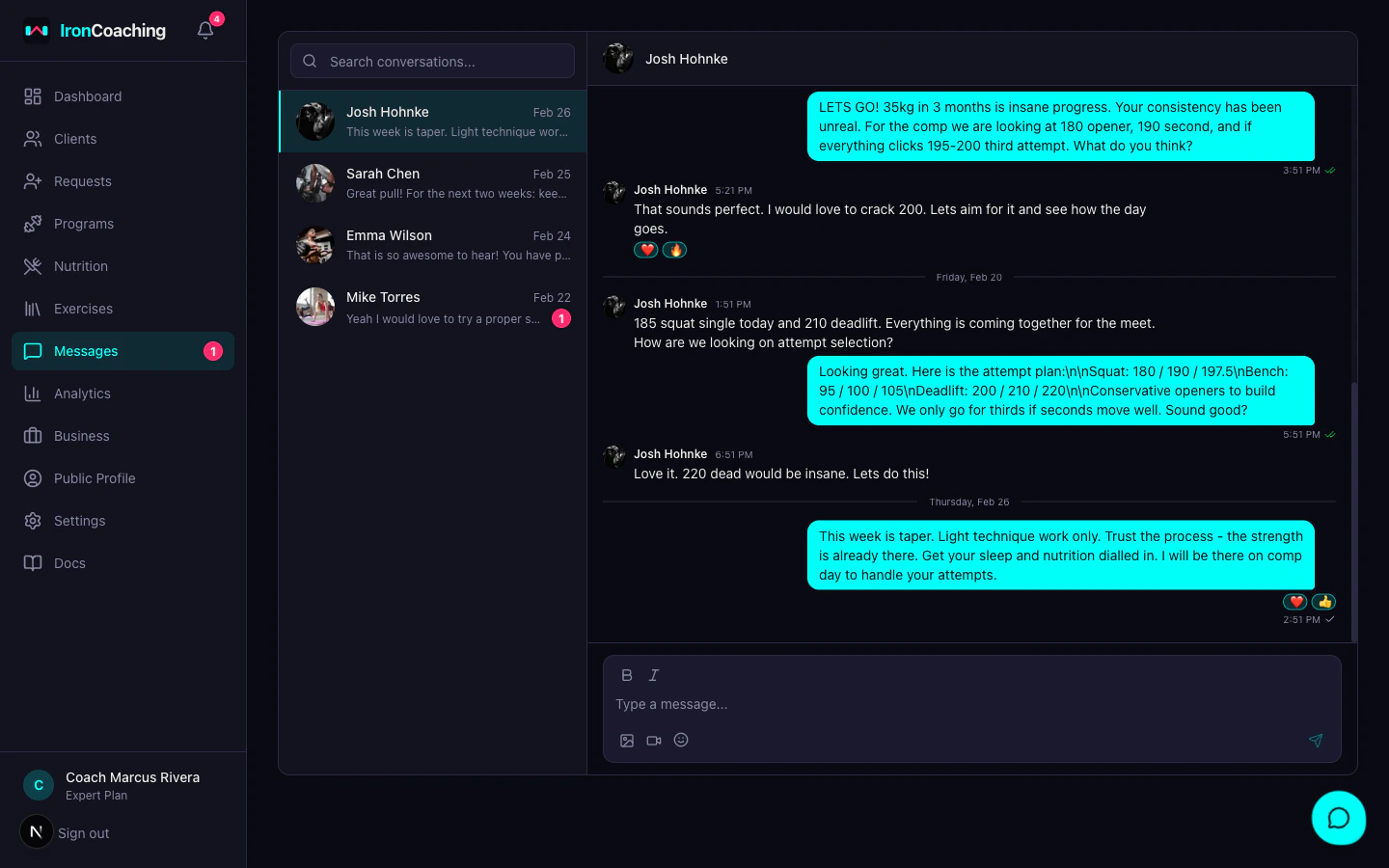
Getting Started
- Go to Dashboard > Messages
- Select a client from your conversation list
- Start typing — messages are delivered in real-time
Features
- Real-time delivery — messages appear instantly via WebSocket connection, so conversations feel natural and responsive
- Unread indicators — a badge on the sidebar shows your unread message count so you never miss a client question
- Per-client threads — each athlete has their own dedicated conversation thread, keeping coaching communication organized
- Text messages — send coaching cues, technique reminders, weekly check-in prompts, and motivational feedback
How Coaches Use Messaging
Messaging works best when integrated into your coaching workflow. Common patterns include:- Weekly check-ins — ask athletes how their training week went and adjust programming based on their feedback
- Form cues — send quick text reminders before key sessions (e.g., “Focus on bracing at the bottom of the squat today”)
- Program updates — let athletes know when you have updated their program or assigned a new training block
- Accountability — follow up with athletes who have missed sessions or logged fewer workouts than expected
Video Messages (Expert)
Expert plan coaches can also send video messages for more detailed feedback:- Upload a video directly in the chat
- Videos are processed by Mux for smooth, high-quality playback on any device
- Add timestamped annotations to highlight specific moments in the video
Notifications
Athletes receive messages in their IronLedger app and see a notification badge when new messages arrive. Coaches see unread counts in the IronCoaching sidebar. This ensures both sides stay in sync without needing to check manually.Messaging requires Pro plan or higher. Basic plan coaches can upgrade from Dashboard > Settings to unlock messaging.