
Business Dashboard
The business dashboard gives you an overview of your coaching business. Go to Dashboard > Business.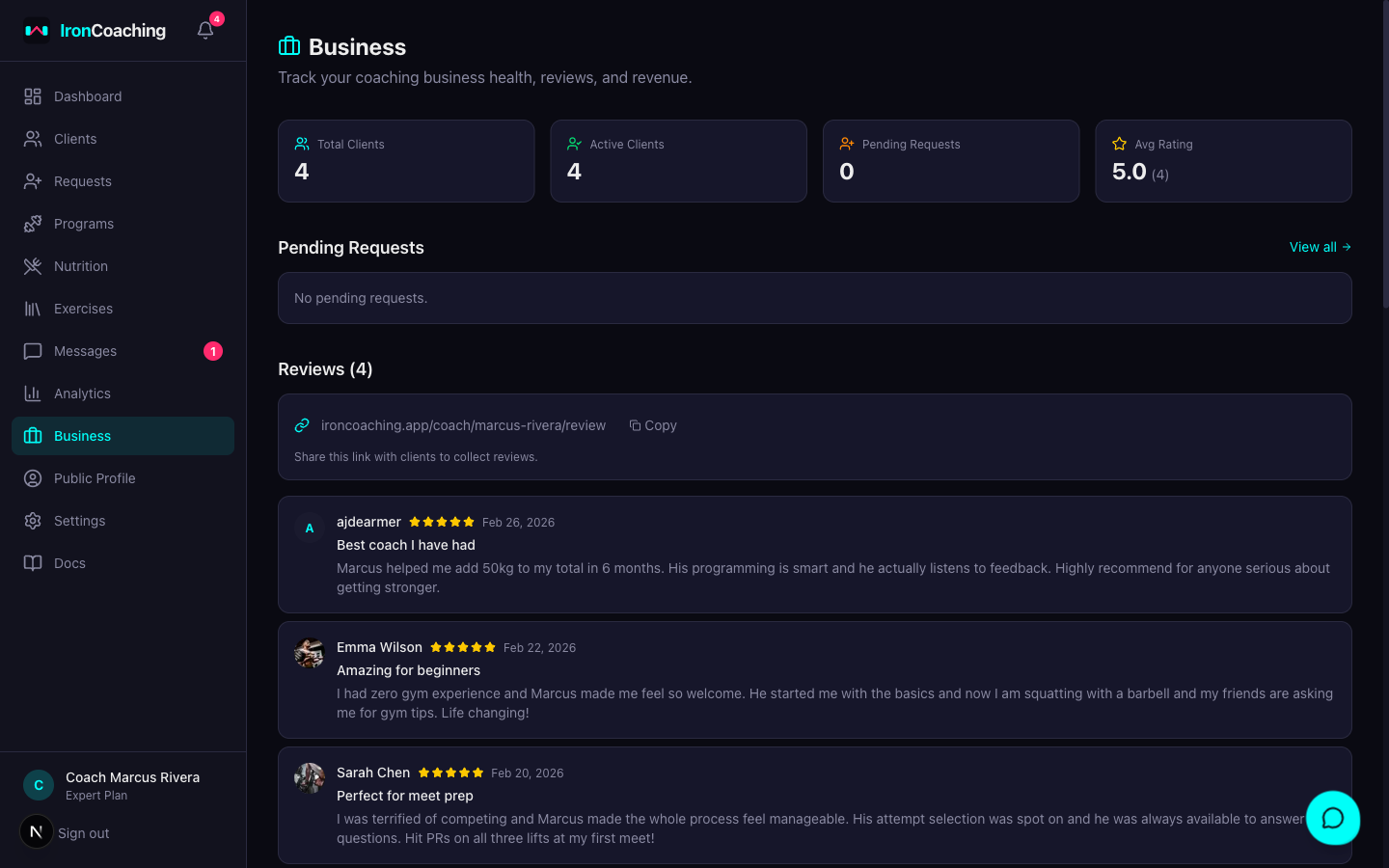
Overview Cards (All Plans)
At the top of the dashboard you’ll see:- Total Clients — all-time client count
- Active Clients — currently active coaching relationships
- Pending Requests — athletes waiting for your approval
- Average Rating — your overall coach rating from reviews
Requests Summary (All Plans)
The top 5 pending coaching requests with one-click Approve or Decline buttons. Approving adds the athlete to your client list; declining removes the request.Reviews (All Plans)
All reviews from your athletes, with star ratings and comments. Includes a Copy Link button to share your review page at:Retention Metrics (Pro+)
Retention metrics require the Pro plan ($29/mo) or higher.
| Metric | Description |
|---|---|
| Churn Rate | Percentage of clients who ended in the last 30 days |
| Average Tenure | How long clients stay on average |
| Activity Rate | Percentage of active clients who logged a workout this week |
| 6-Month Trend | Line chart showing retention rate over the last 6 months |
Revenue Tracking (Expert)
Revenue tracking requires the Expert plan ($79/mo).
- Go to a client’s profile
- Set their Monthly Rate (in your currency)
- Monthly Recurring Revenue (MRR) — sum of all active client rates
- Projected Annual Revenue — MRR × 12
- Average Revenue Per Client — MRR ÷ active clients